Samples
Try it with files we made for you
Documents, spreadsheets, pictures and recordings, each in two versions. Open a comparison in one click, or download the files and drop them on the start page to try the whole flow.
Documents
Word, PDF, CSV and code: paragraphs line up side by side and every changed word is marked.
Website services agreement
Two drafts of a short contract, built into PowerLens. The quickest way to see word-level marks, copying changes across and the list of changes.
Services agreement, as Word files
Six pages become eight, invoices fall due in 15 days instead of 30, and an accessibility review arrives with its own fee. Export keeps Word’s styles and layout.
Word against PDF
The first draft as a Word file, the second as a PDF. PowerLens rebuilds the PDF’s paragraphs, lists and table, then compares them with the Word file.
Price list
A CSV file compared row by row as a table: two prices rise, stock falls, one product is dropped and another added.
Shop settings
A JSON config file compared line by line in a monospace font: a new region, a lower shipping threshold, a new payment method and a longer cache.
Spreadsheets
Excel, Google Sheets and OpenDocument workbooks: sheets paired by name, rows and columns lined up, and every changed cell marked.
Budget workbook
Two drafts of a budget: changed amounts and totals, a department and a column added, a member of staff gone, a sheet renamed, one only in A and one only in B. Step through the changes; the tabs at the bottom switch sheets.
Images
Pictures compared pixel by pixel, with the changed areas outlined.
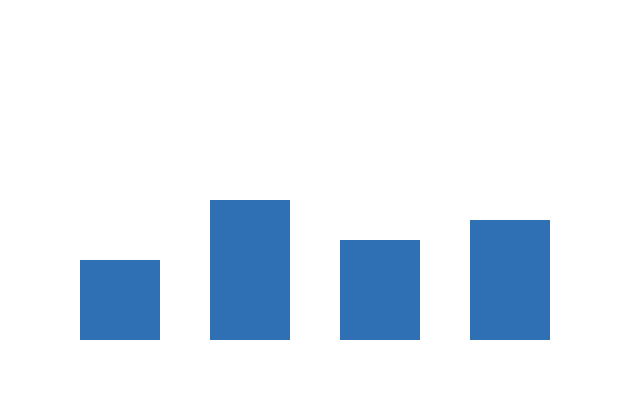
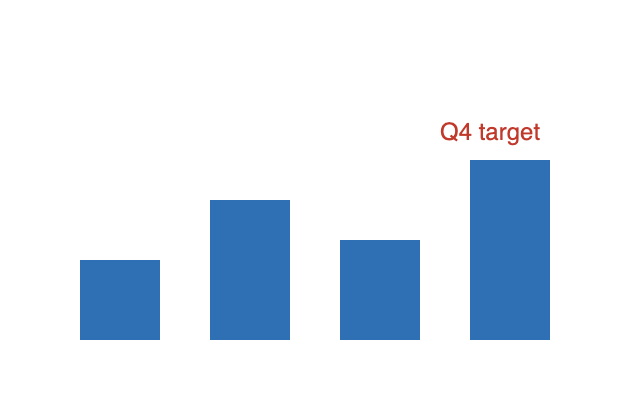
Sales chart
The last bar grows and a “Q4 target” label appears. Try swipe and onion skin, then step through the two changed areas.


Event poster
A new date, more stalls, a “Free entry” badge and a different sun. Small text changes show up well in the difference view.
Audio
Recordings lined up in time, with every difference marked on both tracks. Listen to them here first.
Spoken sentence, two takes
The second take runs two seconds longer. PowerLens lines the takes up in time first, so only what really differs is marked. Transcribe compares the words too.
WAV against M4A
The same two takes, the second saved as compressed M4A. Recordings in different formats compare just as well.
A short tune
Seven notes, then the same tune with the sixth note higher and a note added at the end. The spectrogram shows the changed pitch.
The samples are ordinary files served with this site. Opening one reads it in your browser, exactly as a file of your own would be read, and nothing is sent anywhere. When you are ready, start a comparison with your own files.